


Jobin.cloud product updates and release notes
Browse every Jobin.cloud recruiting software release: AI sourcing, candidate CRM, outreach automation, ATS workflows, analytics, integrations, improvements, and fixes.
Complete Jobin.cloud release notes
Every entry includes its release date, category, feature summary, and detailed capabilities. Expand an update to read its complete release note, or follow major releases to their full announcement.
November 2026
New
Manage client opportunities in the new Deals CRM workspace
Jobin.cloud now includes a dedicated Deals workspace for tracking client business opportunities from first conversation through qualification, negotiation, and closing. Recruiters and business development teams can manage sales opportunities alongside their client Accounts, Contacts, and recruitment Jobs.
- Track Deals in Kanban, table, or card views
- Create Deals from the Deals workspace, client Accounts, or Contacts
- Manage deal owners, estimated values, close dates, and win probabilities
- Link stakeholders, client companies, and recruitment Jobs
- Review deal details, activity, contacts, and next actions
- Move Deals between sales pipeline stages
New
Customize sales pipelines with win probabilities and stalled Deal alerts
Create and manage custom sales pipelines in Jobin.cloud to match your business development process. Each stage can have its own win probability and optional inactivity threshold, making it easier to identify opportunities that need attention.
- Create and edit sales pipelines and their stages
- Set a win probability for individual pipeline stages
- Configure optional inactivity thresholds for each stage
- Identify stalled opportunities with visible Rotten for X days warnings
- Track meaningful Deal activity without treating cosmetic edits as progress
New
Create multiple sales Deals from selected Contacts in one action
Turn selected CRM Contacts into individual business development opportunities using the new bulk Deal creation workflow. Choose a sales pipeline, set shared opportunity details, and create Deals for multiple contacts without opening each profile individually.
- Launch bulk Deal creation from the Contacts action bar
- Create individual Deals for up to 100 selected contacts per batch
- Choose the destination sales pipeline and starting stage
- Apply shared opportunity details across the batch
- Review the Contacts included before creating their Deals
Improved
Organize sales Deals with saved views, tags, and advanced filters
The Jobin Deals workspace now makes it easier to organize business development opportunities by business priority, pipeline status, ownership, and custom tags. Save frequently used views and manage Deal relationships without losing your current CRM context.
- Save reusable Deal views and filtering preferences
- Filter Deals by stage, ownership, tags, and supported opportunity criteria
- Organize Deals with reusable tags
- Use built-in views for opportunities requiring follow-up or approaching their close date
- Review and update Deal stakeholders and their contextual information
- Preserve supported Deals table and view preferences
New
Manage candidates and client contacts with dedicated CRM workflows
Jobin.cloud now distinguishes recruiting candidates from client-side business contacts more clearly. Recruiters can manage client relationships separately from their talent pool while retaining shared Contact information and linking people to company Accounts and sales Deals.
- Use dedicated Candidate and Client contact workflows
- Add or convert eligible Contacts into client contacts
- Associate client contacts with company Accounts
- Create a new company Account directly during client contact creation
- Review linked Deals from the client contact profile
- Preserve supported filters, sorting, and view preferences across the separate lists
New
Track recruitment job openings from client demand to hiring outcomes
The Jobin recruitment workspace now provides more structured tracking of individual job openings and their lifecycle. Recruitment teams can distinguish initial hiring demand from additional openings and maintain clearer information about the progress of each position.
- Review individual openings associated with a recruitment Job
- Record additional client hiring demand
- Track opening status and recruitment progress
- Maintain opening information used by recruitment analytics
- Review opening lifecycle details alongside Job information
New
Manage candidate placements and their employment lifecycle
Jobin.cloud now offers a more complete Placements workflow for recording successful hires and tracking what happens after a candidate accepts a role. Recruiters can maintain placement details, employment dates, and lifecycle changes alongside the associated candidate and Job.
- Record a candidate placement as a successful hire
- Manage placement terms and expected start information
- Confirm employment start and record supported lifecycle transitions
- Track placement completion or cancellation where applicable
- Review candidate and Job information from placement details
- Maintain placement information for recruitment and revenue reporting
New
Manage recruitment invoices, payments, and placement billing
A new agency invoicing workspace brings placement-related billing information into Jobin.cloud. Recruitment agencies can record invoices, track payment status, review financial details, and maintain billing information connected to completed recruitment work.
- Access a dedicated Invoices workspace
- Record and review agency invoices
- Filter invoices by payment status and currency
- Distinguish draft, unpaid, overdue, and paid invoices
- Link invoice information to recruitment placements
- Record supported payment and settlement information
- Review and correct eligible invoice information with appropriate permissions
New
Build custom recruiting reports in the new Jobin Analytics workspace
Jobin.cloud introduces a comprehensive recruitment and agency reporting workspace where teams can explore performance data, build custom reports, and analyze recruiting operations. Create reports using supported recruiting metrics, dimensions, filters, and visualizations instead of relying only on predefined dashboards.
- Explore a library of recruitment and agency reports
- Create custom reports from supported metrics and dimensions
- Filter results by relevant recruitment and business criteria
- View report results as charts or tables where supported
- Group results by supported dimensions
- Save reports for future analysis
- Export supported grouped report results
New
Generate recruitment reports and performance goals with AI
Jobin Analytics now supports AI-assisted report and goal creation. Describe what you want to measure in natural language, such as recruiter performance, placements, or revenue trends, and Jobin can prepare an editable reporting proposal using supported analytics capabilities.
- Describe a reporting question or performance goal in plain language
- Generate proposed reports and goals with AI
- Review suggested metrics and report definitions before saving
- Edit generated reporting proposals
- Save supported reports and goals to your analytics workspace
New
Customize recruiting dashboards with draggable and resizable widgets
Build personalized Jobin.cloud analytics dashboards by arranging reports, KPI cards, and performance goals in a flexible visual layout. Customize the size and position of dashboard widgets to prioritize the information most important to your recruiting team.
- Add reporting and goal widgets to dashboards
- Drag and reorder dashboard cards
- Resize supported widgets to fit their information
- Arrange charts and KPI cards on a responsive grid
- Save dashboard layout preferences
- Build dashboards from available templates or custom configurations
New
Measure recruitment pipeline conversion, stage reach, and time to fill
Jobin Analytics now provides more detailed recruitment performance reporting across candidate and hiring pipelines. Recruitment managers can examine how candidates progress through hiring stages, identify conversion patterns, and measure supported hiring outcomes.
- Measure how many candidates reach individual recruitment stages
- Analyze stage-to-hire conversion and hiring yield
- Review candidate progression through hiring pipelines
- Measure supported Job time-to-fill metrics
- Explore Job portfolio and opening lifecycle indicators
- Break down supported recruitment results by relevant dimensions
New
Analyze outreach performance, candidate reactivation, and team results
Expanded Jobin Analytics reports help recruitment teams understand outreach activity and candidate engagement. Measure supported outreach results, review candidate reactivation cohorts, and compare recruiting performance with clearer operational reporting.
- Review supported outreach volume and response metrics
- Track candidate reactivation from existing CRM contacts
- Measure positive reactivation and downstream recruitment outcomes
- Analyze recruiter and team performance using available reporting dimensions
- Review outreach workload and follow-up performance indicators
- Use available reports to identify changes in recruiting activity
New
Manage upcoming meetings and recordings in a dedicated workspace
Jobin.cloud now brings meeting scheduling, upcoming conversations, and available recordings into a more complete Meetings workspace. Recruiters can review their meeting agenda, access meeting details, and move between preparation and follow-up activities from one place.
- Browse upcoming and historical meetings
- Find meeting records and available recording artifacts
- Review meeting participants, schedule details, and joining information
- Navigate between meeting planning and review views
- Open detailed meeting workspaces
- Create new meetings or interviews from the Meetings area
New
Automatically capture eligible meetings with the Jobin AI Notetaker
Jobin.cloud introduces configurable AI Notetaker controls for supported online meetings. Recruiters can choose which meetings should be automatically captured, configure when the notetaker joins, and manually start or stop eligible capture sessions.
- Configure automatic joining for meetings created in Jobin
- Configure automatic joining for meetings synchronized from calendars
- Choose all, selected, or no meeting categories for automatic capture
- Control capture for Candidate, Client, and Other meeting types
- Set automatic notetaker lead time before a scheduled meeting
- Exclude meetings using participant domains or title keywords
- Customize the notetaker display name
- Manually start or stop capture on eligible meetings
New
Prepare interviews and capture structured feedback in meeting notebooks
Meeting workspaces now include preparation notes, private notebooks, interview guides, and structured candidate feedback. Recruiters can prepare questions before a conversation, keep private working notes, and complete interview assessments connected to the relevant recruitment Job.
- Prepare for interviews using candidate and Job context
- Maintain private meeting notebook notes
- Create and organize interview questions and follow-ups
- Use supported screening and competency guide questions
- Connect questions to relevant assessment criteria
- Record structured interview feedback for eligible candidates
- Keep private notes separate from submitted assessments
Improved
Schedule candidate and client meetings with custom durations and preferred calendars
Jobin meeting scheduling is now more flexible for recruiters arranging interviews, client calls, and follow-ups. Choose a standard or custom meeting duration, use a preferred connected calendar, and organize meeting invitations around the right CRM context.
- Choose standard meeting durations or enter a custom duration
- Select a connected calendar when creating eligible meetings
- Set a preferred calendar for future meeting invitations
- Schedule candidate interviews and client conversations
- Manage meeting invitation details and reminder-related actions
- Create CRM contacts from meeting participants when needed
New
Allow contacts to participate in multiple outreach sequences
Jobin outreach automation now supports configurable assignment rules for contacts who are already active in another sequence. Recruiters can choose whether a sequence should skip those contacts or permit additional concurrent outreach, giving teams more control over overlapping recruitment campaigns.
- Configure sequence assignment conflict rules
- Prevent assignment when a contact is already active in another sequence
- Allow concurrent sequences when the assignment policy permits them
- Skip contacts already active in the same sequence
- Review multiple active sequences from a contact profile
- Manage eligible sequence assignments independently
New
Assign personalized follow-up tasks/reminders to multiple Contacts at once
Create follow-up tasks/reminders for multiple CRM Contacts in one bulk operation. Recruiters can set shared task details, personalize task content using Contact smart fields, assign responsibilities, and organize tasks into queues without creating them individually.
- Create tasks from the Contacts bulk action bar
- Assign task responsibilities and due dates
- Personalize task titles and descriptions using supported smart fields
- Add generated tasks to existing or new task queues
- Reuse task creation controls across manual and automated workflows
- Review batch submission results and retry eligible failures
Improved
Track recruiting tasks directly from Jobs, Accounts, and Contacts
Jobin CRM activity workspaces now provide more consistent access to linked recruiting tasks and upcoming follow-ups. Recruiters can review outstanding work alongside the relevant Job, client Account, or Contact without switching constantly to the Calendar.
- Review linked tasks in recruitment Job activity
- See account-related tasks in Account activity
- Filter supported activity views by Tasks, Notes, and other activity types
- Identify upcoming tasks directly from relevant record tabs
- View task timing and next-action information in context
New
Remove multiple CRM contact tags with one bulk action
Recruiters can now remove selected tags from multiple Contacts simultaneously. Clean up candidate segments and reorganize contact classifications without opening each profile or manually deleting tag assignments one by one.
- Select multiple Contacts or a supported filtered Contact set
- Choose one or more tags to remove
- Remove selected tag assignments in a bulk operation
- Keep unrelated Contact tags and information intact
Improved
Access key recruiting actions directly from the Contact sidebar
The Jobin Contact sidebar now offers more of the core actions available on the full Contact profile. Recruiters can launch common contact-management, enrichment, and recruiting workflows while staying in their current list or record context.
- Access additional Contact actions from the profile sidebar
- Start supported enrichment workflows without opening the full profile
- Navigate directly to relevant recruiting and screening sections
- Use consistent action menus across full and compact Contact views
Improved
Review upcoming outreach and follow-up actions more clearly
Contact Activity now offers clearer previews of upcoming actions, helping recruiters understand what is scheduled to happen next. Review pending outreach and follow-up details in the context of the Contact before continuing with recruiting activity.
- See upcoming actions in a more informative activity preview
- Review available message and task details before execution
- Identify the next scheduled actions for a Contact
- Access eligible action controls directly from the activity workflow
Improved
Review client recruitment Jobs in a redesigned Client Portal
The Jobin Client Portal now provides a clearer experience for client stakeholders reviewing recruitment assignments. Updated Job listings and detail workspaces make it easier to navigate assigned Jobs, inspect candidate pipelines, and access relevant evaluation tools.
- Browse assigned recruitment Jobs in an updated table
- Review Job details through a more consistent workspace layout
- Access candidate pipeline and evaluation sections
- Navigate between candidate comparison and scorecard workflows
- Review available Job information with improved responsive layouts
New
Analyze sales forecasts, client opportunities, and recruitment revenue
Jobin Analytics now connects more business development and placement information to agency reporting. Recruitment leaders can evaluate sales pipeline opportunities, estimated recruitment revenue, and supported financial outcomes in one reporting environment.
- Analyze Deal pipeline values and expected opportunity outcomes
- Review supported weighted Deal forecast metrics
- Explore client acquisition and qualified Deal reporting
- Review recruitment revenue and placement-related financial measures
- Analyze recruiter fee allocations where recorded
- Use supported revenue and business development report templates
New
Set and monitor recruiting performance goals with analytics dashboards
Jobin Analytics now includes configurable performance goals that can be tracked through reporting dashboards. Define supported recruiting targets, monitor progress, and combine goal widgets with operational and revenue reports for a more complete view of team performance.
- Create supported recruitment and business performance goals
- Track goal progress using dashboard widgets
- Configure recurring calendar periods for supported goals
- Add goal charts alongside existing analytics reports
- Use supported team and recruiter reporting perspectives
October 2026
Improved
Apply Account tags during LinkedIn company imports
Organize company Accounts directly during LinkedIn and Sales Navigator imports. Selected Account tags can now follow individual and bulk company import operations, including imports completed asynchronously, so imported companies are ready for CRM segmentation.
- Apply selected Account tags when importing LinkedIn company profiles
- Carry tags into bulk company imports from Sales Navigator
- Preserve tag selections through queued import operations
- Add missing tags to existing Accounts without replacing their current tags
New
Pause eligible monthly subscriptions without losing your workspace
Eligible monthly Jobin subscriptions can now be paused for a planned break while keeping workspace data intact and automatically restarting billing on a chosen date.
- Schedule the pause for up to 12 months, to begin after the current paid period
- Choose a specific resume date within the available pause window
- Keep workspace data while access is temporarily on hold
- No subscription charges are made during the paused period
- Billing resumes automatically on the selected date
- Resume early or change the scheduled resume date when plans change
- Cancel a scheduled pause before it starts
- Pause management is available to eligible monthly subscriptions
New
Manage LinkedIn-only seats for teammates and connected accounts
Workspaces can now manage LinkedIn Automation capacity independently, with LinkedIn-only seats that can be assigned to recruiters or used to license additional connected LinkedIn accounts.
- Manage LinkedIn-only add-on seats separately from All-in-One seats
- Invite a teammate with a LinkedIn-only seat when that is all they need
- See how many LinkedIn seats are assigned to users and connected accounts
- See the remaining LinkedIn seat capacity before making another assignment
- Remove an account licence to make that purchased seat available again
- Clearly identify LinkedIn accounts that are connected but not enabled for the current workspace
Improved
Build more precise CRM segments with required and excluded filters
Advanced filter logic is now more consistent across Jobin, making it easier to define what records must match, may match, or must be excluded from recruiting CRM searches.
- Mark supported filter values as optional, required, or excluded
- Use the same advanced matching controls across Jobs, Accounts, Employers, and Contacts where supported
- Set a minimum number of optional values that need to match
- Exclude specific recruitment pipeline stages from a Contacts search
- Keep included and excluded pipeline stages in the same filter
- Switch a stage between included and excluded without keeping conflicting criteria
- Treat a complete Notes search condition as required or excluded
- See required and excluded states directly in active filter chips
Improved
Check Jobin MCP capabilities and permissions from your AI assistant
Jobin MCP now provides more detailed capability discovery for connected AI assistants such as ChatGPT, Claude, and Codex. Assistants can check available recruiting tools, supported search filters, and session permissions before recommending or performing an action.
- Discover which Jobin MCP tools are currently supported
- Distinguish available tools from tools authorized for the current session
- Check supported contact-search fields and integration capabilities
- Identify when a connected assistant needs to refresh its tool definitions
- Get more specific guidance for missing permissions or outdated tool schemas
- Keep existing authorization and approval requirements for sensitive actions
Improved
Navigate and edit contact profiles with a more flexible workspace
The Jobin candidate CRM now provides a redesigned contact-profile editing experience with clearer field sections, adjustable workspace panels, and faster navigation between contacts. Recruiters can review and maintain professional information with fewer interruptions.
- Edit professional experience, education, languages, and personal details in reorganized sections
- Resize the contact profile and working panels by dragging their divider
- Collapse and reopen panels to focus on the information you need
- Open contacts with prefetched profile data when available
- See clearer loading states while contact information is retrieved
- Keep supported profile layout preferences between visits
Improved
Manage team membership separately from subscription seats
Workspace membership and paid seat allocation are now more flexible, so teams can invite people before seats are available and remove access without deleting the member account.
- Invite teammates even when there are not enough available seats
- See seat availability before sending invitations
- Get a clear warning when some invitees will not receive the requested module access
- Keep excess invitees in the workspace with a clear No seat status
- Review seat shortages separately for different subscription modules
- Remove a member’s assigned seats while keeping their account and current workspace role
- Assign seats again later without having to reinvite the member
- Keep Client Portal users independent from internal workspace seat availability
New
Manage recruitment pipelines through ChatGPT, Claude, and Jobin MCP
Jobin MCP now supports recruitment pipeline discovery, stage-aware candidate searches, and approved pipeline changes through connected AI assistants. Recruiters can use natural-language requests to inspect Jobs, find candidates in specific hiring stages, and organize candidate progression without manually navigating every pipeline.
- Discover Jobs and their recruitment pipeline stages and substages
- Search CRM contacts by Job, pipeline, stage, or substage
- Inspect a candidate’s current Job pipeline memberships
- Assign contacts to a chosen Job pipeline stage using verified identifiers
- Move contacts between eligible stages or Jobs
- Require explicit approval and appropriate permissions before changing records
Improved
See recipient-level email delivery outcomes
Email activity now provides clearer delivery information in both the Messaging Timeline and Operations Monitor, helping recruiters understand what happened after an outreach email was accepted for sending.
- Distinguish sent or accepted emails from confirmed delivery problems
- See when an email bounced because of a permanent recipient-address failure
- Identify partial delivery failures when some recipients were accepted and others failed
- See temporary, sender, policy, and uncertain delivery diagnostics separately
- Review the affected recipient for each delivery problem
- Inspect provider status codes when diagnostic details are available
- See when Jobin is retrying with another eligible email address
- Know when no eligible email remains and the outreach step needs recruiter attention
New
Manage Contact, Account, and Job tags from one workspace
Jobin now provides a centralized tag manager for organizing reusable tags across Contacts, company Accounts, and Jobs in the recruitment CRM.
- Switch between Contact, Account, and Job tag catalogs
- Create and edit reusable tags from one management page
- Search and sort large tag libraries
- Drag tags into your preferred custom order
- Choose where newly created tags should appear in that order
- See how many Contacts, Accounts, or Jobs currently use each tag
- Open the matching records directly from a tag’s usage count
- Export tag catalogs to CSV
- Find and permanently purge tags that are no longer assigned to any records
- Deleting a tag removes that tag assignment from every matching record
Improved
Import CRM data with a smarter CSV workflow
CSV imports for Contacts, Jobs, and company Accounts now share a clearer mapping and review workflow, with smarter automatic field recognition and additional post-import actions.
- Use a consistent CSV mapping experience for Contacts, Jobs, and Accounts
- Review column-to-field mappings before starting an import
- See how many records are ready before committing the import
- Automatically recognize common Contact headers
- Keep reusable Contact and Job header-to-field mappings for similar future CSV files
- Use a Smart Link Parser when importing Account links or websites
- Assign Account tags as part of the import workflow
- Like contacts, optionally queue automated data updates for imported Accounts that include
New
Manage client and company accounts in a dedicated CRM workspace
Jobin’s Accounts workspace now brings company details, contacts, activity, files, outreach, and account-level workflows together in one place.
- Open a full account workspace with Activity, Contacts, Goal, and Files tabs
- Review company details alongside the people linked to the account
- Link existing contacts to an account or create new contacts from the account workspace
- Filter for linked account contact persons at any time and in bulk
- Send one-off email outreach from an account using the standard Jobin messaging flow
- Store and review account attachments in the Files tab
- Shortcut to easily import company employees
- Create accounts individually or import them in bulk from CSV
- Map CSV columns and preview account records before importing
- Switch between account list and card views and use the account details sidebar
New
Learn Jobin with guided Getting Started workflows
A new Getting Started experience guides recruiters through core candidate sourcing, Job setup, and outreach workflows directly inside Jobin.
- Follow an AI Search QuickStart from candidate search through shortlist and outreach
- Learn how to create and configure a Job with a guided workflow
- Build and launch an outreach sequence with an interactive step-by-step guide
- Learn how to link the sequence to a Job and follow its outreach progress
- Resume saved tutorial progress when you return later
- Open Getting Started directly from the Jobin sidebar
- Complete the workflow without leaving Jobin for an external tutorial
Improved
Choose exactly what each sequence enrichment step should find
Outreach sequence enrichment steps can now be configured for the candidate data your workflow actually needs before the next outreach action runs.
- Choose email, phone, CV & Socials enrichment, or a combination
- Choose whether email enrichment targets work or private addresses
- Require only the selected email type or use it as the preferred option
- Automatically suggest phone enrichment when the sequence uses an SMS sender
- See the selected enrichment behavior in the sequence launch preview
New
Create outreach sequences with AI from a simple goal
Jobin can now prepare a multichannel outreach sequence from your recruiting goal, preferred channels, tone, and instructions before you review and launch it.
- Start Fast Create directly from the sequence launcher
- Choose Email, LinkedIn, SMS, or a combination of channels
- Choose a goal such as introducing an opportunity, following up, or re-engaging
- Use a custom goal when a preset does not fit
- Add your preferred tone and additional instructions
- Generate a draft sequence for review before anything is launched
- Continue through the standard sequence preview and readiness checks
- Generate and preview even when a sender is missing, then connect it before sending
- Open the generated draft in the full sequence editor when you want further changes
Improved
Import CVs in bulk with background AI parsing
Bulk CV import now separates file upload, LinkedIn matching, and AI parsing so recruiters can create candidate records quickly without waiting for every CV to finish processing.
- Upload multiple CVs and create their contact records in one workflow
- Apply selected tags and recruitment pipeline assignments to imported contacts
Improved
Control exactly what clients can see and do in the Client Portal
Client Portal permissions are now much more granular, with reusable visibility presets and separate controls for candidate data, collaboration, and recruiter-only information.
- Choose individual candidate profile details clients can see
- Control candidate identity and contact information separately from professional background
- Configure visibility for experience, education, skills, compensation, availability, and work preferences
- Control AI screening scores, explanations, scorecards, recruiter notes, documents, and activity separately
- Choose whether clients can see message content and attachments from candidate activity
- Save reusable candidate-visibility presets
- Choose the default visibility preset used for future Client Portals
- Allow clients to create tasks for recruiters from candidate profiles when needed
- Control client tag and scorecard permissions independently
New
Save application questions directly to reusable custom fields
Career Portal questionnaires can now connect applicant questions to Jobin custom fields, turning application answers into structured recruitment CRM data that can be reused after a candidate applies.
- Link an application question to an existing workspace custom field
- Create a new reusable custom field while building the questionnaire
- Use free-text, number, date, list, and range field types
- Preview how the question will appear to applicants before publishing
- Customize the applicant-facing question and help text
- Mark custom-field questions as required when needed
- Save applicant answers into the linked contact custom field
- Reuse the resulting structured data in contact filters and personalized outreach
New
Manage custom fields directly from the Jobin browser extension
Recruiters can now work with the same reusable custom fields from the Jobin browser extension while reviewing contacts, without switching back to the main recruitment CRM.
- View the custom fields already assigned to a recognized contact
- Assign existing workspace custom fields directly from the extension
- Create a new reusable custom field without leaving the contact popup
- Edit custom field values inline
- Remove a custom field from the contact when it is no longer relevant
- Use free-text, number, date, list, and range field types
- Configure list options and numeric or range constraints when creating fields
- See which assigned custom fields are still waiting for a value
- Open the full custom-field management area when you need workspace-level changes
New
Add CC and BCC recipients to one-off emails
Recruiters can now copy additional people into individual recruiting emails directly from Jobin, using CRM contacts or any valid email address.
- Add CC and BCC recipients to single-contact email messages
- Search your recruitment CRM and select an existing contact as a copy recipient
- Enter an external email address directly when the recipient is not in Jobin
- Use the selected private or work email preference for CRM contacts
- Fall back to another available email when your message settings allow it
- Validate copy-recipient addresses before the email is queued
- Preserve CC and BCC recipients when reopening a queued email for editing
September 2026
Improved
Manage Jobs with richer filters, recruiter assignments, and custom ordering
The Jobs workspace now provides more ways to organize open roles, assign responsibility, and quickly narrow large recruitment portfolios.
- Filter Jobs by employer, owner, or assigned recruiter
- Filter by publication status and closing-deadline status
- Find Jobs with open vacancies or a specific vacancy range
- Combine the new criteria with status, tags, location, industry, skills, salary, and other Job filters
- Assign one or more recruiters to a Job
- See assigned recruiters directly in the Jobs table and Job details
- Filter the Jobs workspace by assigned recruiter
- Use Custom order to drag Jobs into a shared workspace ordering
- Keep other Job sorting options available when manual ordering is not needed
New
Build reusable Job workflows with pipeline templates and automations
Recruitment teams can now standardize Job pipelines with reusable templates and connect pipeline stages directly to outreach sequences.
- Start a Job pipeline from Jobin built-in templates or workspace templates
- Apply a pipeline template to an individual Job
- Choose the default pipeline template used by future Jobs
- Keep existing Jobs unchanged when the workspace default changes
- Link outreach sequences to a Job
- Launch a sequence automatically when candidates reach selected pipeline stages
- Configure automatic stage-entry rules separately from the actions that run after arrival
- Add automations to Jobin-managed stages such as Assigned, Rejected, and Accepted
- Get a clear warning before moving a sequence that is already linked to another Job
Improved
Keep workspace layout preferences with your Jobin account
Personalized layouts for Jobs, Employers, and Contacts are now stored with your Jobin account instead of only in the current browser.
- Keep your preferred Jobs view and table layout
- Keep your Employers view and table layout
- Remember whether Quick Filters start expanded or collapsed
- Preserve your preferred Job pipeline display style
- Keep Contacts preferences such as the default view and contact-opening behavior
- Use the same saved layout preferences across sessions and browsers
New
Use language or location as an AI Search requirement
AI Search can now treat a required language and required location as alternative evidence when that better matches your sourcing strategy.
- Enable an “Accept language or location” option in AI Search filters
- Use a required language or a required location to satisfy the combined requirement
- Keep the stricter behavior when the option is turned off
- See when a match was inferred from location rather than an explicitly listed language
- Jobin clearly marks inferred evidence so recruiters know the candidate’s language ability is still unverified
- New searches start with the flexible matching option enabled, while older saved searches retain their existing behavior
Improved
Track booked meetings across sequence analytics
Sequence reports now treat booked meetings as a measurable outreach outcome, helping recruiting teams understand which campaigns, channels, and workflow steps are generating conversations that turn into meetings.
- See booked meetings alongside other sequence outcomes
- Track when meetings were booked across the sequence activity timeline
- Compare bookings by weekday and time of day
- See booked meetings across email, LinkedIn, and other channels used by the sequence
- Identify which sequence step candidates had reached when a meeting was booked
- Open the contacts behind booked-meeting metrics directly from report drilldowns
 New
NewAI-Powered Outreach Automation: Sequences Explained
Build multi-channel outreach sequences with LinkedIn, email, AI personalization, reply intent detection, workflow automation, and campaign analytics in Jobin.cloud.
Read the full storyNew
Search Contacts by recruiter notes
Recruiter notes are now searchable from the Contacts workspace, making it easier to rediscover candidates based on interview feedback, conversations, and internal recruiting context.
- Search contacts by text contained in recruiter notes
- Filter notes by the teammate who wrote them
- Limit note searches to a specific date range
- Combine recruiter-note criteria with your other Contacts filters
- See the matching note context directly alongside contact search results
- Use note criteria in saved and recent Contacts searches
New
Review and organize candidates inside AI Search
AI Search now includes a dedicated recruiter review workflow for working through sourcing results and separating candidates that need attention from those you want to pursue.
- Work through candidates in a dedicated To review view
- Shortlist promising candidates directly from AI Search
- Mark candidates as not a fit and keep rejected profiles in a separate view
- See live counts for candidates to review, shortlisted candidates, and all results
- Reopening an AI Search takes you back to candidates still awaiting a decision
- See a completion state once every available candidate has been reviewed
- Move between reviewed candidates and the complete AI Search result set
New
Use CRM context to refine AI Search results
AI Search can now combine candidate sourcing with existing recruitment CRM data, helping recruiters prioritize new prospects while avoiding contacts that do not fit the current outreach workflow.
- See whether an AI Search candidate is already in your CRM or is an applicant
- Filter candidates by CRM membership
- Focus specifically on candidates who are not yet in the CRM
- Exclude candidates who have already been contacted
- Exclude candidates already participating in an outreach sequence
- Exclude unsubscribed contacts before taking outreach actions
- Include or exclude candidates using existing contact tags
- Use job pipeline membership as part of your AI Search filtering
New
Schedule and manage candidate meetings inside Jobin
Recruiters can now schedule interviews and other candidate meetings using connected calendars without leaving their recruiting workflow.
- Schedule meetings from relevant candidate and recruiting workflows
- Check availability across connected calendar accounts before choosing a time
- Send calendar invitations to a selected candidate email address
- Create meetings in connected Google or Microsoft calendars
- See scheduled meetings alongside tasks in Jobin Calendar
- Open meeting details directly from day and calendar views
- Reschedule or cancel meetings while keeping the Jobin meeting history
- Review a candidate’s previous meetings from their CRM history
- Automatically reflect a booked meeting as a sequence outcome when applicable
New
Review AI Search screening directly in Contacts
AI Search screening results can now be reviewed alongside on-demand candidate screening in the Contacts workspace, making it easier to compare and revisit AI assessments without leaving your recruitment CRM.
- Open AI Search screening results directly in the Contacts list
- Switch between recent AI Search assessments and on-demand screening runs
- Review the must-have and nice-to-have criteria used for each AI Search
- See screening results alongside the standard Contacts grid
- Move between screening sources without rebuilding the candidate search
New
Add manual task steps to outreach sequences
Outreach sequences can now create normal Jobin tasks when human follow-up is required, combining automated outreach with structured recruiter actions in the same workflow.
- Add task or call steps to an outreach sequence
- Add instructions for the recruiter completing the task
- Choose the task priority, assignee, and task queue
- Set relative due times in minutes, hours, or days
- Sequences wait for the task to be resolved before continuing
- Open the pending task directly from a contact’s active sequence
- Launch task-only sequences without configuring a messaging sender
Improved
Export and organize tags more easily
The Tags Manager now gives recruiting teams more control over how contact tags are organized, styled, and exported across the workspace.
- Export the complete workspace tag library to CSV
- Includes tag names, contact usage counts, and creation and update dates
- Choose where newly created tags are inserted in your tag order
- Reorder tags using drag and drop
- Choose from a searchable set of meaningful tag icons
Improved
Find the right outreach sequences faster
Improved sequence filters make it easier to find relevant outreach workflows and templates, especially in workspaces where multiple recruiters share sending accounts.
- Filter sequences alongside the existing sequence search
- Show only sequences using LinkedIn, email, or phone accounts connected to you
- See active filters as removable chips
- Clear all active filters in one action
- Get a clear empty state when no sequences match the selected filters
- Added improved filtering experience also to the sequence template selector
New
Find contacts who are hiring on LinkedIn
Jobin now captures LinkedIn’s explicit Hiring signal, making it easier to identify and segment contacts whose profiles show that they are actively hiring.
- See the Hiring on LinkedIn signal in a contact’s LinkedIn profile details
- Include contacts marked as Hiring in Contacts searches
- Exclude the Hiring signal when building a segment
- See Hiring represented alongside other active LinkedIn profile-signal filters
- Combine the signal with the rest of your recruitment CRM filters
Improved
See LinkedIn outreach availability before you send
Jobin now checks the capabilities of your LinkedIn sending accounts and gives clearer guidance when an outreach channel or action is limited by the selected account.
- See a warning when a free LinkedIn account is used for a connection request with a note
- Get guidance about the invitation-note allowance before sending
- See when Recruiter InMail requires a LinkedIn Recruiter license
- See when Sales Navigator InMail requires a Sales Navigator license
- Unavailable InMail options are visually muted with an explanation of what is missing
- The same account guidance is available in one-off outreach and sequence setup
Improved
Resolve LinkedIn account conflicts directly in Jobin
When Jobin detects that the LinkedIn account connected through the browser differs from your existing setup, a new recovery flow helps you choose how that account should be used.
- Review the LinkedIn account that was just connected
- Set a different connected account as your default for LinkedIn operations
- Keep your previous default account when you do not want to switch
- Claim an account that is currently assigned to another Jobin user when eligible
- Avoid repeated ownership-conflict prompts across multiple browser tabs
- Receive clear feedback when an account change cannot be completed
New
Separate current and past job stages in Contacts
The Contacts table can now distinguish active recruitment pipeline stages from stages belonging to closed jobs, giving recruiters a clearer view of current activity and historical candidate progress.
- Add a dedicated Past job stage column to the Contacts table
- Keep stages from active jobs in the standard pipeline-stage column
- See stages from closed jobs separately as historical pipeline context
- Past job stages are preserved as read-only history
- The historical column is optional and can be added when you need it
 New
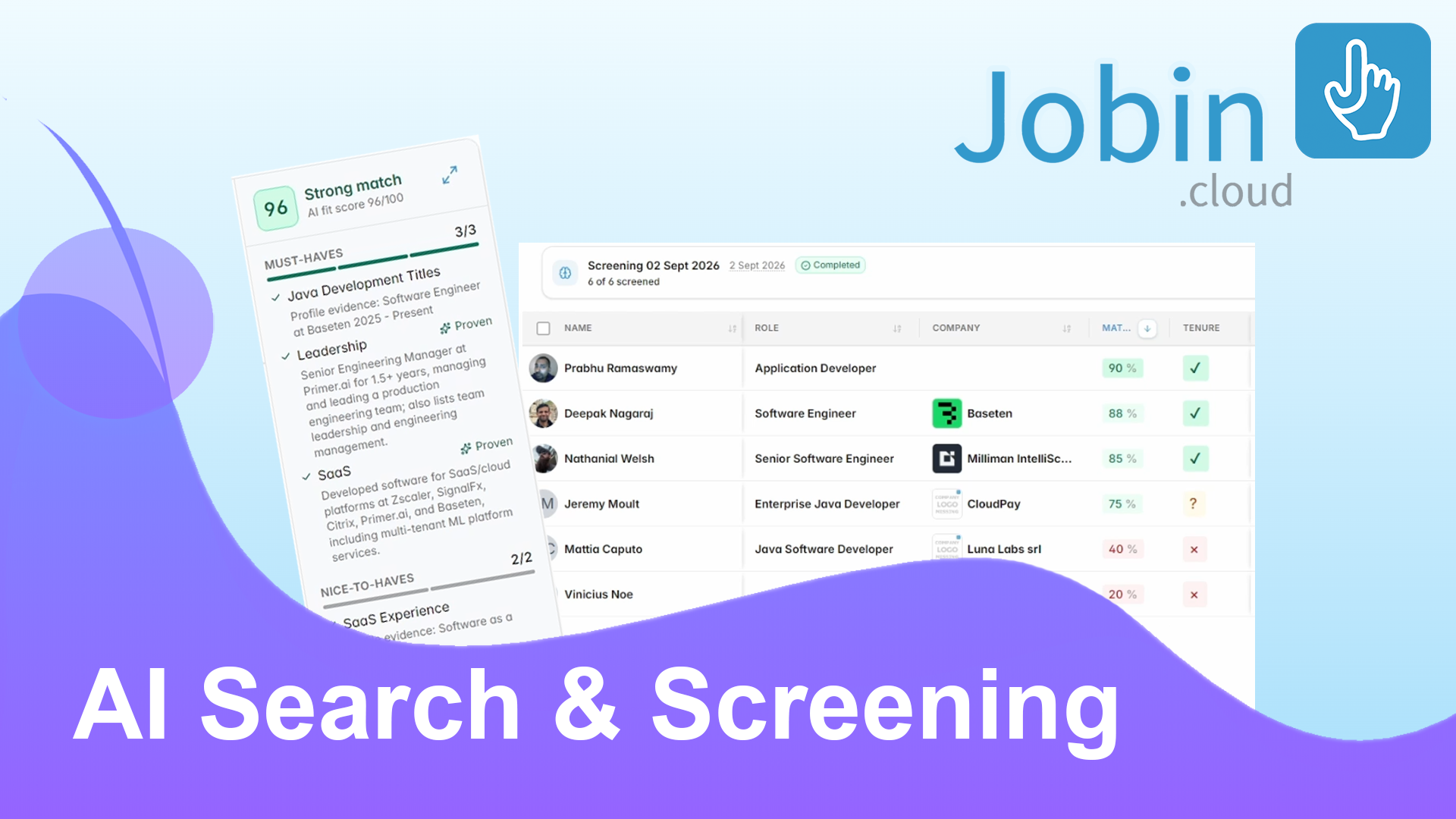
NewAI Candidate Search and On-Demand Screening
Find, evaluate, rank, and rediscover candidates with natural-language search, evidence-based assessments, and bulk AI screening.
Read the full storyNew
Track credit usage and plan limits in one dashboard
Jobin now provides a clearer usage report for shared credits, enrichment, AI activity, and subscription limits, helping recruiting teams understand where their workspace usage is going.
- See your current shared credit balance and renewal date
- Understand how many credits went to enrichment, AI actions, and other usage
- Review enrichment results alongside the credits they consumed
- Switch the usage timeline between credits spent and enrichment results
- Filter usage by date range and, for admins, by team member
- Review monthly usage allowances and workspace capacity limits
- Export the selected credit usage report
August 2026
New
Run AI screening on any candidate segment
Recruiters can now run dedicated AI screening across selected candidates in the recruitment CRM, using tailored evaluation criteria without being limited to a single AI Search.
- Run AI screening directly from the Contacts action bar
- Screen candidates selected from Contacts or AI Search results
- Screen saved shortlists, filtered contact segments, tags, and recruitment pipelines
- Generate screening criteria from a prompt, job description, or existing job
- Customize up to 20 screening criteria with importance and category settings
- Reorder and refine criteria before starting the screening
- Revisit previous screening runs from Contacts filters
- Keep each candidate’s AI screening report available on their contact profile
- Apply additional Contacts filters while reviewing a screening run
Improved
See why candidates match your AI Search
AI Search now provides a more structured and transparent candidate-matching experience, helping recruiters understand which requirements each profile satisfies and where potential gaps remain.
- Turns search requirements into structured must-have, nice-to-have, and exclusion criteria
- See sourcing criteria take shape while AI Search prepares your results
- Compare candidates with clear fit scores and match verdicts
- Review must-have and nice-to-have coverage separately
- Inspect the requirement-level evidence behind candidate scores
- Clearly distinguishes deterministic matching from AI-evaluated fit
- Keeps existing historical AI Searches compatible with their original matching behavior
Improved
Navigate recruiting conversations more easily
The Messaging Timeline now makes it easier to move between contacts, focus on specific types of activity, and review older conversation history without losing your work.
- Filter the activity timeline by All, Messages, Notes, or System events
- Keep unsent message drafts when switching between contacts
- Return to a contact and continue the draft you were writing
- Keep the current conversation open while searching or filtering the contact list
- Automatically focus the contact search when browsing conversations
- Jump directly into the message composer when opening a thread from a contact profile
New
Create contacts faster from a name or profile URL
Jobin’s quick contact creation flow now understands pasted names and professional profile links, helping recruiters build candidate records with less manual data entry.
- Paste a full name and automatically split it into title, first, middle, and last name fields
- Generate profile based with just a social link
- Automatically recognizes LinkedIn, Sales Navigator, LinkedIn Recruiter, GitHub, X, Xing, and other supported profile links
Improved
See pending recruiting tasks when you open a contact
Opening a contact profile now automatically surfaces unfinished tasks assigned to that contact, making follow-ups and recruiter workflows easier to continue.
- Automatically shows the task execution bar when the contact has unfinished tasks
- Keeps the task workflow focused on tasks assigned to the open contact
- Moves through the contact’s remaining tasks without leaving their profile
Improved
Create and run custom recruiting task queues
Task queues are now easier to build and execute, giving recruiting teams more control over how follow-ups and standalone work are organized.
- Create a new task queue directly while scheduling a task
- Automatically assign the task to the newly created queue
- Start work from a specific custom task queue
- Choose between all queues, individual queues, and unassigned tasks
- Keep contact-related tasks and standalone tasks in separate execution flows
- Preserve the selected queue while progressing through its tasks
New
Use Joby, your AI recruiting assistant inside Jobin
Joby is now available directly inside Jobin, giving recruiters a contextual AI assistant that can answer questions about the recruiting data and workflows they are currently viewing.
- Open Joby directly from the Jobin sidebar or its in-app launcher
- Ask free-form questions about the current Jobin page and recruiting context
- Use the current contact or workspace context without manually copying information into the chat
New
Activate MCP People Search on 2.5 Billion contacts
MCP People Search is now available for Scale plan users to directly source new contacts through your favorite AI agents.
- Access the same 2-5 Billion database as the internal AI search, but with your own AI agent via MCP
- Have your AI agent run sourcing on autopilot
- Results are automatically enriched with emails and phone numbers
New
Choose how contact details open
Personalize your Contacts workflow by choosing whether the contact details sidebar opens automatically when you select a contact or only when you use the expand button.
- Open contact details immediately when selecting a contact
- Keep the expand-button workflow when you prefer more workspace
- Applies across Contacts list and card views
- Saves the preference to your account
- Closing the sidebar keeps it closed until another contact is selected
New
Choose your default Contacts view
Personalize your recruitment CRM workspace by choosing whether the Contacts page opens in a structured list view or a visual card view.
- Choose List view for a compact, table-based Contacts workspace
- Choose Cards view for a more visual contact browsing experience
- Saves your preferred Contacts view to your account
- Automatically opens Contacts using your selected layout
- Change the preference anytime from Settings
New
Compare current and total experience in Contacts
Recruiters can now add dedicated experience columns to the Contacts table to compare a candidate’s current-role tenure with their overall professional experience.
- Add a Current years column for time in the candidate’s present role
- Add a Total years column for overall professional experience
- Experience is displayed in easy-to-scan year values
- Use the columns alongside other configurable Contacts data
New
Choose the right AI model for reusable prompts
Jobin’s AI prompt tools now let you choose between multiple GPT-5.6 models, giving recruiting teams more control over speed, response quality, and AI credit usage.
- Choose a faster and more economical AI model
- Choose a balanced model for everyday AI-assisted recruiting workflows
- Choose a higher-quality model for more demanding prompts
- Save the selected AI model with each reusable prompt
- Existing prompts automatically use the balanced model when no model was previously selected
- AI credit usage is calculated based on the selected model’s official token consumption
New
Stay informed about new Jobin product updates
Jobin now highlights unread product updates directly in the Resources menu, making it easier to discover new recruiting CRM features, workflow improvements, and major releases.
- See an unread-update badge under Resources → Updates
- Preview the highlighted update before opening it
- Shows the update title, date, and description when available
- Prioritizes important unread major releases in the preview
- Open the complete Jobin product updates page in a new tab
- Automatically marks product updates as seen after opening them
New
Schedule follow-up tasks from any contact
Create and schedule follow-up tasks directly from a contact profile in Jobin’s recruitment CRM. Each task is automatically linked to the contact, keeping candidate and client follow-up in context.
- Create tasks from the contact header
- Automatically link each task to the contact
- Set dates, times, and task details without leaving the profile
Improved
Get proactive alerts for account and workspace issues
Jobin now surfaces important account, integration, and workspace issues inside the app, helping teams protect outreach deliverability and resolve setup problems before work is interrupted.
- Detect disconnected LinkedIn and email accounts
- See when the Jobin browser extension needs attention
- Identify duplicate contacts from the Contacts page
- Snooze dismissible alerts for 12 hours
New
Manage email open and click tracking by sender
Control email open tracking and link-click tracking separately for each sending account. Jobin also flags when disabled tracking may make outreach analytics appear lower than the actual engagement.
- Enable or disable open tracking independently
- Manage link-click tracking separately
- Configure tracking for each email sender
- See data-quality notices in sequence reports
Improved
Review messaging attachments in the activity timeline
Email and LinkedIn attachments are now available directly in the messaging activity timeline, making candidate and client documents easier to review without switching inboxes.
- Preview image attachments in the timeline
- Download files from email and LinkedIn activity
- Review attachment names and file sizes
Improved
Manage sending accounts and outreach limits in one dashboard
The sending accounts dashboard centralizes LinkedIn, email, and phone accounts for multichannel recruiting outreach. Review usage, configure safe limits, manage shared senders, and resolve connection issues from one workspace.
- Manage LinkedIn, email, and phone senders together
- Review daily usage and sending limits
- Switch between personal and shared accounts
- Configure default senders and workspace sharing
- Connect Google, Microsoft, IMAP, and SMTP mailboxes
- Set personal and workspace operating timeframes
July 2026
New
Run bulk actions from the recruitment pipeline Kanban
Select multiple candidates directly from pipeline Kanban cards and run the same bulk contact-management actions available in the Contacts list.
- Select candidates from Kanban cards
- See a clear selected state on each card
- Run bulk actions without leaving the pipeline
- Use stage-aware select-all controls
Improved
Customize the Contacts table for faster review
Adapt the Contacts table to different recruiting and candidate-sourcing workflows by resizing columns, creating compact layouts, and opening profiles more quickly.
- Resize individual table columns
- Collapse columns for a more compact view
- Double-click a divider to restore the default width
- Double-click a row to open the contact profile
New
Filter contacts by outreach sequence stage and status
Build precise contact segments based on each recipient’s position and result in an outreach sequence. Preview matching counts before applying stage and status filters.
- Select multiple stages from one sequence
- Filter by Pending, Failed, Replied, Completed, or all recipients
- Preview the matching contact count for each stage
- Use consistent sequence filters across Contacts and Operations
New
Open outreach operation recipients in Contacts
Move selected recipients from the Advanced Operations Monitor into Contacts with the relevant sequence, stage, and operation-status filters already applied.
- Open individual operation recipients in Contacts
- Open complete sequence-stage recipient groups
- Preserve sequence, stage, and status context
Improved
Keep company data on contact profiles up to date
Jobin now refreshes older company information when a contact’s Current Company tab is opened, helping recruiters work with more current headcount and organization data.
- Refresh company data that is more than one month old
- Enrich companies when employee-count data is missing
New
View LinkedIn connection degree in the Contacts table
Add a LinkedIn Connection Level column to the Contacts table to see whether each person is a 1st-, 2nd-, or 3rd-degree connection to the active LinkedIn account.
- Display 1st-, 2nd-, and 3rd-degree connections
- Identify pending LinkedIn connection requests
- Use the relationship from the active LinkedIn account
Improved
Apply consistent email fonts and formatting
Set a consistent font family and font size across an entire outreach email, and remove unwanted formatting from selected text before sending.
- Apply one font family to the complete email
- Set a consistent message-wide font size
- Clear formatting from selected text
- Preview typography before sending
Improved
Check recipient readiness before launching outreach
Recipient previews now highlight missing contact data for the selected outreach channel, helping teams catch email, phone, and LinkedIn delivery issues before launch.
- Flag missing email addresses and phone numbers
- Check LinkedIn profile and connection availability
- Separate blocking errors from fallback warnings
- Respect private and work email preferences
New
Filter the messaging inbox by recruiting and engagement activity
Narrow the Jobin messaging inbox using pipeline context, contact tags, conversation activity, and reply status to find candidate conversations that need attention.
- Filter by pipeline, stage, and substage
- Include or exclude contact tags
- Filter by the date of the last message
- Show replies only or all messages
- Use quick ranges such as Today or This Week
New
Use a redesigned inbox for recruiting conversations
The redesigned Jobin messaging inbox brings candidate conversations and recruiting workflows into a cleaner, more focused workspace.
- Review conversations in a modern inbox layout
- Keep messaging and recruiting context in one workspace
- Navigate active conversations more easily
New
Analyze outreach performance with flexible date ranges
Outreach analytics now support custom reporting periods and additional LinkedIn InMail metrics, giving recruiting teams a clearer view of campaign performance.
- Choose a custom analytics date range
- See the number of days included in the period
- Track contacts who replied to an InMail
- Measure LinkedIn InMail response rate
- Export InMail reply metrics
Improved
Protect unsubscribe preferences across contact searches
Unsubscribed contacts are excluded from standard Contacts results by default and clearly labeled when included, helping teams respect opt-out preferences and prevent accidental outreach.
- Exclude unsubscribed contacts from standard searches
- Show an unsubscribe status badge in the Contacts table
- Include or filter for unsubscribed contacts when needed
- Reduce the risk of contacting opted-out recipients
Improved
Recover interrupted outreach operations more quickly
The Operations Monitor now explains why outreach automation stopped and provides relevant recovery actions for sender settings, credits, quotas, and usage limits.
- Explain operations blocked by a disabled sender
- Open the relevant sending-account settings
- Retry after the sender is enabled
- Show retry and upgrade options for credit issues
- Support monthly quota and usage-limit interruptions
New
Use the redesigned Operations Monitor
The redesigned Operations Monitor and Advanced Operations Monitor make outreach automation easier to review and correct with clearer status information and bulk actions.
- Access the modern Operations Monitor from the main navigation
- Select multiple operations for corrective actions
- Skip an outreach sequence step when appropriate
Improved
Use dark mode across the complete Contacts workspace
Dark mode now covers the full contact-management experience, including profiles, filters, job applications, editing controls, and workspace settings.
- Improve contrast across contact profiles
- Use dark mode for contact information and editing controls
- View filters and job applications in the selected theme
- Use theme-aware icons, menus, fields, and navigation
 New
NewContact Views & Engagement Analytics
A practical look at configurable contact views, engagement analytics, pipeline actions, and custom data controls for outreach teams.
Read the full storyNew
Choose the right contact enrichment method for your workspace
Workspaces can select a preferred contact enrichment method, giving recruitment teams more control over data quality, enrichment credits, and the default experience for team members.
- Compare enrichment methods in a guided setup
- Preview available options before confirming
- Save the preferred method for future enrichment
- Share the workspace default with the team
New
Set a 12-hour or 24-hour time format
Choose how times appear throughout Jobin with a workspace preference for 12-hour or 24-hour formatting.
- Choose between 12-hour and 24-hour formats
- Preview an example before selecting
- Apply the preference across Jobin timestamps
- Use the saved timezone instead of the browser default
Improved
Manage account and workspace settings more easily
Account and workspace settings are now organized into clearer sections with consistent controls, validation, and descriptions.
- Edit email, phone, and password information more easily
- See clearer validation and save states
- Manage connected Microsoft accounts
- Use accessible labels and password visibility controls
- Work consistently in light or dark mode
New
Bulk-edit pending outreach messages
Update the content of multiple pending email, SMS, and LinkedIn operations directly from the Advanced Operations Monitor.
- Edit selected multichannel outreach operations together
- Load the existing message, subject, and job context
- Reuse the standard Jobin message composer
- Keep existing execution times unless rescheduled
- Refresh operation results after saving
New
Build advanced contact segments with multiple custom fields
Combine several custom-field conditions in one Contacts search to create precise recruitment CRM segments from workspace-specific data.
- Add multiple custom-field criteria to one search
- Include or exclude matches for each field
- Add optional value conditions
- Compare text, numbers, dates, and list values
- Remove one criterion without clearing the full search
Improved
Open matching Contacts from a custom field
Select a custom field from the contact control panel to open the Contacts page with that field already applied as a filter.
- Move from profile context to a matching contact segment
- Carry the selected custom field into Contacts automatically
- Reduce manual filter configuration
Improved
Customize the Contacts filter sidebar
Arrange the Contacts filter sidebar around your recruitment workflow by reordering filters, changing the layout, and saving workspace-specific preferences.
- Reorder filters based on frequency of use
- Switch between grouped and flat layouts
- Save sidebar preferences for each workspace
- Copy an existing configuration between workspaces
New
Manage scheduled outreach actions from Contact Activity
The Contact Activity tab now shows upcoming sequence steps and standalone operations, with controls for managing outreach automation without opening the Operations Monitor.
- Review upcoming email, LinkedIn, SMS, and automation actions
- Distinguish sequence steps from standalone operations
- See message details, status, and scheduled time
- Run, reschedule, edit, pause, resume, retry, or cancel eligible actions
New
Add contacts to outreach sequences from Contact Activity
Assign a contact to an outreach sequence directly from the Activity tab and choose whether the automation starts at the beginning or at a specific stage.
- Choose a sequence from the contact timeline
- Start at the beginning or at a selected stage
- See the active sequence update after assignment
New
Organize Calendar tasks by date or task type
Group Calendar agendas by date or task type to make longer recruiting task lists easier to review and prioritize.
- Switch between date and task-type grouping
- Separate pending and completed tasks
- See the number of tasks in each group
- Improve readability across multi-day agendas
New
Save and share Contacts table column presets
Save custom Contacts table layouts as named column presets and share consistent contact-management views across the workspace.
- Save visible columns and their order
- Preserve columns pinned to the left or right
- Apply shared presets from the column selector
- Update or delete presets you manage
- Allow workspace admins to manage shared presets
New
Add outreach engagement metrics to the Contacts table
Display sequence delivery and engagement data as optional Contacts table columns to compare outreach performance across candidates and prospects.
- See when a contact was assigned or first contacted
- Track sends, opens, clicks, replies, and engagement
- Identify bounces and unsubscribes
- Review completed, failed, and positive-outcome dates
- Show the latest relevant activity for each contact
New
Add shared recruiting notes to pipeline Kanban cards
Add a short, workspace-shared note to a candidate’s Kanban card so recruiters can see important pipeline context and reminders at a glance.
- Display workflow reminders on candidate cards
- Edit notes with rich-text formatting
- Share the same note across the workspace
- Update the card immediately after saving
- Clear notes that are no longer relevant
Improved
Edit primary contact details from the profile header
Update a contact’s main email addresses and phone numbers directly from the profile header, without opening the full contact editor.
- Edit work and personal email addresses
- Edit mobile and telephone numbers
- Copy contact details to the clipboard
- Save with Enter or cancel with Escape
- Open advanced contact-detail management when needed
New
Analyze outreach delivery, engagement, and reply outcomes
Sequence analytics now separate delivery failures, engagement events, and reply outcomes to provide a more accurate view of multichannel outreach performance.
- Review bounces separately from other failed sends
- Compare bounce and failed-send rates by channel
- Separate human replies from out-of-office responses
- Track positive replies, opt-outs, and engagement
- Open the contacts behind individual metrics
- Distinguish unavailable metrics from zero results
New
Schedule a future start time for outreach sequences
Assign contacts to an outreach sequence with a delayed or scheduled start, allowing recruiting outreach to begin at the most appropriate date and time.
- Start a sequence after a chosen delay
- Select a specific launch date and time
- Use scheduling for contacts, AI Search results, or social profiles
- Create sequence operations with the intended start time
Improved
Edit sequences without leaving the launch preview
Open the sequence editor from the outreach launch preview and return to the same preview after making changes.
- Open sequence editing directly from the preview
- Return with a dedicated Back to Preview action
- Preserve sequence changes when returning
- Avoid navigating through a separate editing workflow
- Keep launch preparation in one continuous flow
June 2026
New
Refresh AI Search rankings with the latest candidate scores
When updated AI candidate-matching scores are available, AI Search can reorder results using the latest evaluations while keeping the current ranking stable until you choose to refresh.
- Show a Refresh Order action when newer scores are available
- Keep the existing ranking until refresh is selected
- Reorder results using the latest saved AI scores
- Return to the first page after refreshing
- Show progress while rankings are updated
Improved
Review and edit active contact filters more easily
The active-filter summary provides direct navigation to each filter category and safer controls for reviewing complex candidate searches.
- Open a filter category from its summary heading
- See the number of active filters in each category
- Remove filters with a dedicated action
- Prevent accidental removal when selecting chip text
- Review and refine complex searches more efficiently
Improved
Navigate contact profiles with a clearer tab structure
Contact profiles now place Custom Fields in a dedicated main tab and group job-seeking information with related profiling data.
- Open Custom Fields from the main profile navigation
- Find job-seeking status under More Profiling
- Preserve saved layouts and existing links
- Reduce the number of competing top-level sections
New
Organize contact notes and control Client Portal visibility
Categorize contact notes and decide whether each note stays internal or is shared with clients through the Jobin Client Portal.
- Assign a note type when creating or editing notes
- Share individual notes with Client Portal users
- Return shared notes to internal-only visibility
- Clearly distinguish internal and shared notes
- Keep notes ordered by their original creation date
Improved
Reopen contact profiles where you left off
Jobin now remembers the profile section and nested view used most recently, reducing repeated navigation during candidate review.
- Remember the last main profile tab
- Remember the selected Communication section
- Remember the selected More Profiling section
- Preserve the preferred outreach composer mode
- Handle sections that are unavailable for a contact
New
Insert personalized smart fields with @ mentions
Type @ in the message composer to search and insert personalized smart fields for contacts, senders, jobs, and custom CRM data.
- Search smart fields by typing after @
- Browse contact, sender, job, and custom-field suggestions
- Navigate suggestions with the arrow keys
- Insert a field with Enter or Tab
- Close suggestions with Escape
- Recognize categories through consistent icons
New
Create reusable custom fields for contact data
Create, assign, and edit reusable custom fields from a contact profile to structure recruitment CRM data around your team’s workflow.
- Create workspace-level reusable fields
- Choose text, list, or numeric-range field types
- Configure list options and range limits
- Search for and assign existing fields
- Use editing controls matched to each field type
- Save changes automatically with visible status feedback
New
Convert a one-off message into a multistep outreach sequence
Turn a message already in progress into the first step of a multichannel outreach sequence without recreating the content or sender setup.
- Preserve the message, subject, sender, and linked job
- Choose the delay before the follow-up
- Set delays in minutes, hours, or days
- Choose email, LinkedIn, invitation, or SMS for the next action
- Create the message, wait, and follow-up stages automatically
- Open the unfinished follow-up for immediate editing
New
Browse recruitment pipeline stages from the Contacts list
When viewing a recruitment pipeline, use stage tabs above the Contacts list to review candidate counts and move between workflow stages quickly.
- See the number of contacts in each stage
- Switch stages without opening the complete filters panel
- Return to all pipeline contacts from the Total tab
- Include assigned, exit, and backup stages
- Scan stages using their configured colors
- Clear incompatible substage filters automatically
Improved
Identify companies faster in contact filters
Company autocomplete results now include organization logos, helping recruiters distinguish businesses with similar names while building contact searches.
- See company logos in autocomplete results
- Use the same experience in sidebar and advanced filters
- Show a consistent placeholder when a logo is unavailable
- Keep longer company names readable
- Apply the organization name as the selected filter
New
Filter contacts by previous outreach activity
Find contacts who have or have not received recorded outreach, making untouched candidate and prospect segments easier to identify.
- Show contacts with previous messaging activity
- Find contacts with no recorded outreach
- Return to an unrestricted view with Any
- Identify untouched contacts more quickly
- Use a clear three-state filter
New
Open related profile sections from contact signals
Select sequence and pipeline indicators on contact cards to open the relevant Outreach Sequences or Job Application section of the contact profile.
- Open Outreach Sequences from a sequence indicator
- Open Job Application details from a pipeline-stage indicator
- Select the related contact automatically
- Keep the profile sidebar open while navigating
- Prevent signal clicks from selecting the whole card
- Disable direct navigation during large multi-selections
Improved
Review all contact tags from a compact table cell
Keep tag columns compact in the Contacts table while opening a complete tag overview when more context is needed.
- Show the first two tags in the table
- Display the number of additional hidden tags
- Hover to review the complete tag list
- See the total number of assigned tags
- Scroll through larger tag collections
- Continue editing tags in table edit mode
New
Filter contacts by outreach sequence performance
Create contact segments from the engagement and outcome metrics of a selected outreach sequence.
- Select the outreach sequence to analyze
- Find assigned, contacted, failed, bounced, opened, clicked, or engaged contacts
- Filter by interested, contact-later, out-of-office, and other reply outcomes
- Find unsubscribed, do-not-contact, and no-response recipients
- Show the active metric in the filter summary
- Remove the metric with standard filter controls
New
Open the contacts behind outreach report metrics
Select a sequence report metric to open the exact matching recipients in Contacts, with the relevant sequence and outcome filters already applied.
- Open contacts for a specific reply outcome
- Open recipients with no response
- Drill into sent, opened, clicked, and replied contacts by step
- Review positive, not-interested, failed, bounced, and unsubscribed groups
- Use the exact filter represented by the selected count
- Carry sequence and metric context into Contacts
New
Review contact profiles beside the pipeline Kanban board
Open a complete contact profile next to the recruitment pipeline Kanban so candidate details can be reviewed without leaving the board.
- Open the contact sidebar from a Kanban card
- Keep the pipeline visible during profile review
- Highlight the card currently being reviewed
- Select the same card again to close the profile
- Resize or close the sidebar to restore board space
- Close outdated details when filters or pipelines change
New
Review candidate resumes without leaving Kanban
Open a candidate’s resume from the contact profile beside the recruitment pipeline Kanban, keeping document review inside the current workflow.
- Open the Resume section from the Kanban sidebar
- Review the document without leaving the pipeline
- Keep resume access within the relevant Kanban workflow
- Use the same navigation as other profile sections
New
Customize and save the Contacts table layout
Choose which Contacts table columns are visible, resize them, and drag them into the order that best supports your recruitment workflow.
- Show or hide individual columns
- Reorder columns with drag handles
- Resize columns for compact or detailed review
- Keep at least one column visible
- Remember visibility, width, and ordering preferences
- Restore the same layout when returning to Contacts
New
View and edit a contact’s stages across multiple pipelines
The global Contacts list can display the stages a contact holds across multiple recruitment pipelines and allow stage updates for the relevant pipeline.
- Show up to two pipeline-stage indicators in the table
- Display the number of additional pipeline memberships
- Hover to review every stage and substage
- Update a stage for its specific pipeline in edit mode
- Continue editing the primary stage when a pipeline filter is active
- Identify contacts without a pipeline stage
Improved
Build contact filters from pasted lists and Boolean searches
Turn pasted keyword lists and Boolean expressions into structured contact-search criteria more quickly.
- Paste multiple keywords or role titles at once
- Use comma-separated values
- Recognize Boolean operators including OR, AND, and NOT
New
Export selected contacts with custom data fields
Export selected contacts to CSV with the exact profile, career, contact, and education fields required for your recruiting or CRM workflow.
- Choose the fields included in the export
- Select or clear complete field categories
- See how many fields are selected
- Download the selected contacts as a CSV file
New
Update custom fields for multiple contacts at once
Apply the same set of custom-field values to every contact in a selection, making bulk CRM data updates faster and more consistent.
- Prepare multiple field-and-value pairs before saving
- Apply the values to all selected contacts
- Review how many contacts will be updated
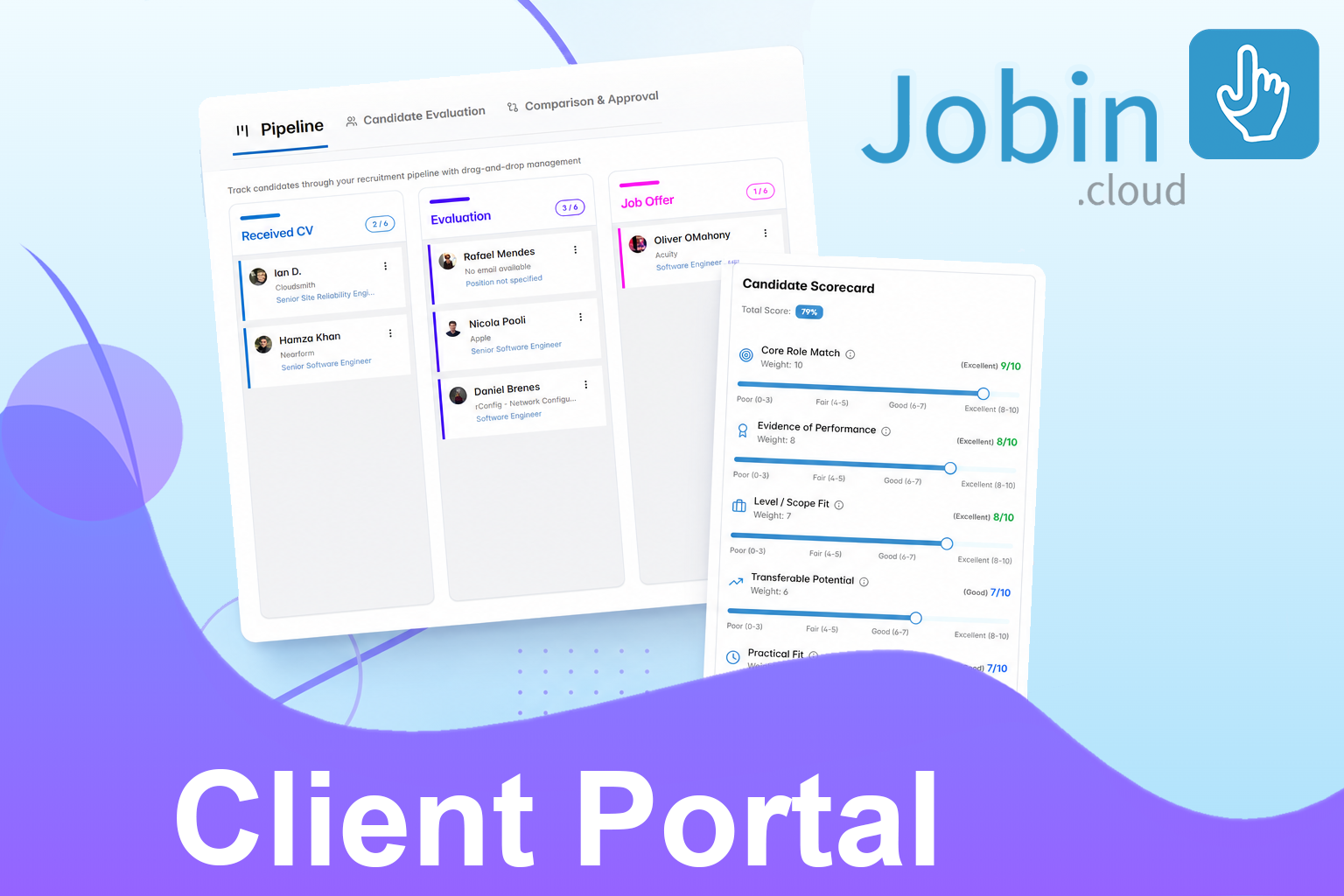 New
NewClient Portal & Evaluation Scorecards
Share pipelines with clients and collect structured scorecards.
Read the full storyNew
Control candidate data shared through the Client Portal
Configure which candidate information clients can access for each job, including resumes, recruiter tags, activity history, and notes.
- Show or hide candidate resumes and CVs
- Keep resume access disabled until explicitly enabled
- Control whether clients can view and manage recruiter tags
- Show or hide candidate activity history
- Share all notes or only explicitly shared notes
- Apply permissions across comparison, evaluation, and Kanban views
New
Pin frequently used filters to the Contacts sidebar
Pin commonly used contact-search criteria to the sidebar so recruiters can access key filters without opening the complete filter library.
- Pin frequently used filters to the sidebar
- Keep common search criteria immediately accessible
- Open the complete filter library only when needed
New
Skip outreach sequence steps for selected recipients
Advance selected recipients past the current outreach sequence step without stopping the rest of their automation.
- Skip the current step for multiple recipients
- Apply the action only to sequence operations
- Warn when standalone operations will be ignored
- Show how many operations are eligible
- Require confirmation before applying
- Report partial success when needed
- Continue eligible recipients to the next sequence action
New
Review and manage individual outreach operations
The Advanced Operations Monitor provides a detailed workspace for filtering, reviewing, and managing individual email, LinkedIn, SMS, and sequence operations.
- Group operations by sequence, status, type, or selection date
- Review operation totals through status counters
- See the recipients in each operation group
- Choose visible information columns
- Open complete operation details
- Select multiple operations for bulk actions
- Retry or delete selected operations
- Open status-focused views from sequence analytics
New
Build advanced candidate searches with career criteria
Create more precise candidate and talent-sourcing searches using professional history, seniority, employment, experience, company, and location criteria.
- Filter by career level, career path, and management level
- Filter by employment type and job-seeking status
- Set minimum and maximum years of experience
- Filter by time in the current role
- Search role descriptions, profile summaries, and industries
- Use company-size and location criteria
- Mark criteria as required or preferred
- Apply experience criteria to current or previous roles
- Set the number of preferred criteria that must match
New
Manage job applications from the contact profile
Use the Job Applications tab to review and update the jobs, recruitment pipelines, stages, and substages connected to a contact.
- Review active and archived job applications
- Open the associated job from its title or company logo
- See the current pipeline stage and substage
- Preview the complete pipeline
- Change the stage or substage from the application
- See when and by whom the candidate was assigned
- Use readable stage colors in light and dark mode
Improved
Continue working while contact enrichment runs
Contact enrichment can now continue in the background while recruiters review the profile or complete other work.
- Close the enrichment dialog without cancelling the process
- Show a persistent progress indicator on the profile
- Indicate that enrichment is running in the background
- Refresh contact data automatically
- Stop monitoring when new information arrives
- Show a separate result when no additional data is found
New
Create AI-assisted LinkedIn outreach from contact profiles
Prepare LinkedIn connection requests and follow-up messages from a contact profile using saved templates, AI-generated content, smart fields, rewriting, and automatic translation.
- Start a LinkedIn connection request from the contact profile
- See whether an invitation is pending or the contact is connected
- Refresh connection status after a successful request
- Load, save, or overwrite message templates
- Use AI-generated content and personalized smart fields
- Apply AI rewriting and automatic translation
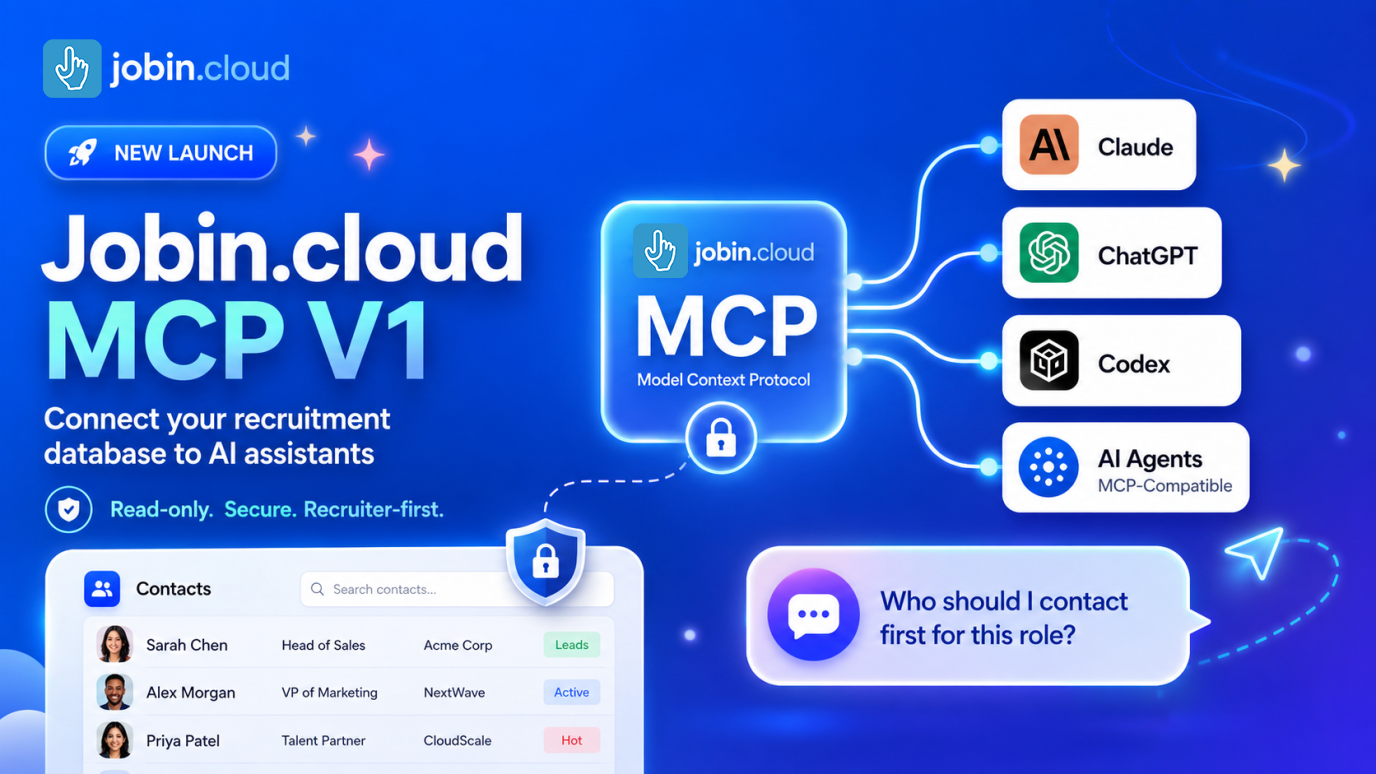 New
NewJobin.cloud MCP
Connect your recruiting data to Claude, ChatGPT, Codex and AI agents.
Read the full storyImproved
Edit experience dates and languages more precisely
Maintain more accurate professional profiles with exact employment periods, calculated experience duration, and searchable language selection.
- Enter experience as years and months
- Select exact From and To dates
- Mark ongoing experience as Present
- Calculate duration from the selected dates
- Search languages while typing
- Load more language options while scrolling
- Keep current values available during editing
May 2026
New
Manage a contact’s outreach sequence from their profile
Use the Outreach Sequences tab to see a contact’s current automation, review upcoming messages, and manage their progress without leaving the profile.
- Assign the contact to an outreach sequence
- Start at the beginning or at a chosen stage
- See the current stage and step number
- Review visual sequence progress
- See the next operation’s status and scheduled time
- Preview the message and email subject
- Edit eligible messages before processing
- Exit the contact from the active sequence
- Review previous sequences and additional operations
New
Assign multiple contact tags in one action
Select existing tags, create new tags, and apply the complete set to contacts or sourced profiles in a single bulk-tagging workflow.
- Search available workspace tags
- Load more tags while scrolling
- Select or remove multiple tags before applying
- Create tags that do not yet exist
- Create and assign several new tags together
- Keep existing selections visible
- Review changes before applying or cancelling
- Use the same workflow for contacts and sourced profiles
