


Jobin Academy
Video courses and quick tips to master sourcing, pipelines and outreach in Jobin.
Courses
In-depth video lessons. Learn every step of your recruiting workflow.
 Lesson 01
1 video8 min
Jobin.cloud Workflow Basics
This video gives a complete introduction to the core Jobin workflow and shows how the main features connect together. It walks through the four key steps: creating a job, defining the ideal candidate profile, importing contacts in bulk, and using automated screening and sequences to manage outreach. It also explains how Jobin ranks contacts against must-have and nice-to-have criteria, supports bulk actions, and automates follow-ups, pipeline updates, and reply handling. It is intended as a starting point for new users who want to understand the full platform flow before exploring individual feature tutorials.
Take this course Lesson 02
4 chapters2 min
WorkGroup Setup and Team Collaboration
The WorkGroups Course video helps you build your very own cloud data repository, and shows you how to share it with colleagues or team members, creating a seamless and efficient work environment for your Business.
Take this course Lesson 03
23 chapters22 min
Jobs, Pipelines, and Automated AI Screening
Automatically screen and track prospects with Job Pipelines.
Take this course Lesson 04
18 chapters8 min
Bulk Sourcing from LinkedIn | X-ray or Site Search | People Finder
Learn how to automatically source and import hundreds or even thousands of profiles with a single press of a button.
Take this course Lesson 05
15 chapters22 min
Bulk Outreach and Automated Multi-Channel Sequencing
The Outreach Course video is all about how to message hundreds of prospects in bulk, while also automatically personalizing the message for each recipient.
Take this course Lesson 06
7 chapters10 min
Workflow summary once the Workgroup setup is complete
The Workflow Course video demonstrates the general and most frequent steps that you're going to want to follow on a daily basis when managing your Jobin.cloud Workgroup.
Take this courseVideo tutorials
Short and actionable videos. Level up your Jobin skills.
 3:59
Jobin.cloud
Contact Management: Views & Analytics
Watch video 8:18
Jobin.cloud
Client Portal & Evaluation Scorecards for Faster Candidate Reviews
Watch video 1:23
Jobin.cloud MCP: Use AI to Search, Shortlist & Analyze Your Candidate Database
Watch video 9:29
Jobin Insider week 5
AI Search Autopilot - Open Beta (Free Access!)
Watch video 5:24
Jobin Insider week 4
Bulk CV Parsing with LinkedIn & AI Matching
Watch video 6:36
Jobin Insider week 3
Automate Your Talent Pool with Dynamic Lists
Watch video 7:25
Jobin Insider week 2
Auto-Compile Outreach Sequences with AI
Watch video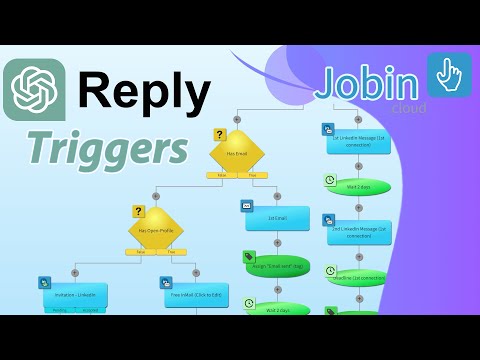 5:30
Jobin.cloud Insider week 1
AI Reply Triggers for Outreach
Watch videoFAQ
Where should I start?
Start with Lesson 01, Jobin.cloud Workflow Basics. The lessons build on each other, and the hero always leads with the first course you have not finished.
What is the difference between courses and video tutorials?
Courses are in-depth lessons that cover your recruiting workflow step by step. Video tutorials are short clips on a single feature.
Is my progress saved?
Yes. Courses you finish are remembered in this browser. Turn on Hide completed to see only what is left.
Can I rewatch a course I already finished?
Yes. Open any course card at any time. Watching it again does not reset your progress.
I still have a question. Where can I get help?
Browse the FAQ page, read the documentation at docs.jobin.cloud, or book a demo and our team will walk you through it.